
1
Keep-first flow
Start by selecting the photos worth keeping. Cleanup decisions feel safer because the app is built around preservation first.
iPhone photo cleanup without panic deleting
KeepFirst turns camera roll cleanup into a safer review flow: pick the photos you want to keep, then check the rest in a Review Bin before deleting.


How it works
Start by selecting the photos worth keeping. Cleanup decisions feel safer because the app is built around preservation first.
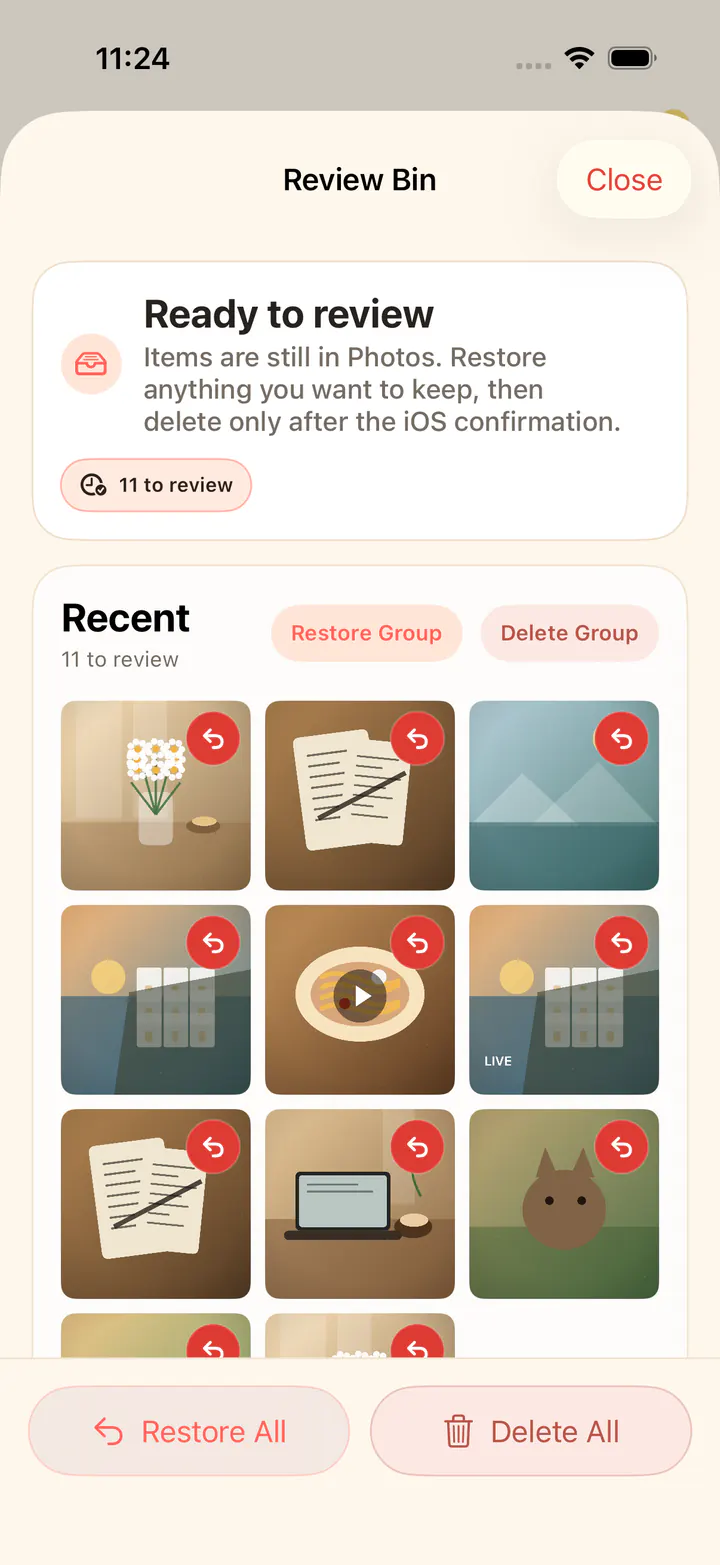
Photos not selected for keeping move into an in-app review step before any iOS system deletion confirmation.
Photos are reviewed locally on the device. KeepFirst avoids broad cloud or AI claims and does not upload your library.
Guides
KeepFirst guides focus on safer iPhone photo cleanup: choosing keepers first, checking the Review Bin, and understanding storage or duplicate-photo choices before deleting.
Clean up iPhone photos
The primary keep-first method for people overwhelmed by their camera roll.
Delete duplicate photos on iPhone
A safer, review-based way to handle duplicate and similar photos.
Clean up photo storage on iPhone
Turn storage pressure into a calm, by-type review of what to keep.
Delete photos from iPhone safely
Batch deletes, iCloud sync, and Recently Deleted explained without the panic.
Find and review similar photos
Compare bursts and retakes locally, then keep the best shot.
Delete screenshots on iPhone
The easiest storage win — clear screenshots without losing the useful ones.
Sort photos on iPhone
Sort by date and size, then turn it into a keep-first cleanup.
Organize photos on iPhone
Organize by time, type, and albums around what you want to keep.
iPhone photo manager app
Manage a big library with review before delete.
iPhone photo cleaner app
What to look for before you trust a cleaner app with your camera roll.
About KeepFirst
KeepFirst is an iPhone photo cleaner built around a keep-first workflow. You choose the photos you want to keep, and the rest move to an in-app Review Bin before any final deletion is confirmed in iOS.